Auto-Rigging Fingers with MediaPipe
Fingers were the hardest part. Twenty plus small bones per hand, packed together, often curled, and I wanted to place all of them automatically from a static mesh. Here is how I got there, with the two ways that failed first.
Try 1: Geometry (PCA and clustering)
My first idea was pure geometry. Take the hand vertices near the wrist to tip line, find the width direction of the hand with PCA (a quick way to find the main axis of a set of points), and group the vertices along it into fingers. The gaps between fingers separate one finger from the next.
It works well on a spread hand. It fails on a relaxed or closed hand, because when the fingers touch there are no gaps to cluster on. Every real character I tried had the fingers together, so this was a dead end.
Try 2: Oriented template
So I stopped trying to find each finger and did what Mixamo does, fit the template hand as one piece. I build a frame for the hand from the forearm direction and the palm normal (the thinnest axis of the hand, from PCA), match it to Manny's template hand frame, and drop the whole finger hierarchy in with one rotation. It is symmetric and never breaks, but it is a guess. It does not look at where your fingers actually are.
Try 3: MediaPipe
Hand tracking is already solved in 2D. Google's MediaPipe Hands finds 21 landmarks per hand, and those 21 landmarks are the exact joints I need: the wrist, plus three joints and a tip for each finger.
So the pipeline became:
- C++ builds a frame for the hand, renders it to one lit image looking straight at the palm, and writes the hand data to JSON.
- Python runs MediaPipe on that image and reads the 21 landmarks. If it does not find a hand on the palm view, it flips to the back of the hand and tries again.
- For each landmark I cast a ray through the mesh and take the middle of where it enters and exits, so the joint sits inside the finger instead of on the skin. This is the same centerline trick I use for the body markers, and it is what stopped the finger bones from looking stuck to the surface.
- C++ reads the joints back and places every finger bone: metacarpals, the three bones per finger, and the thumb.
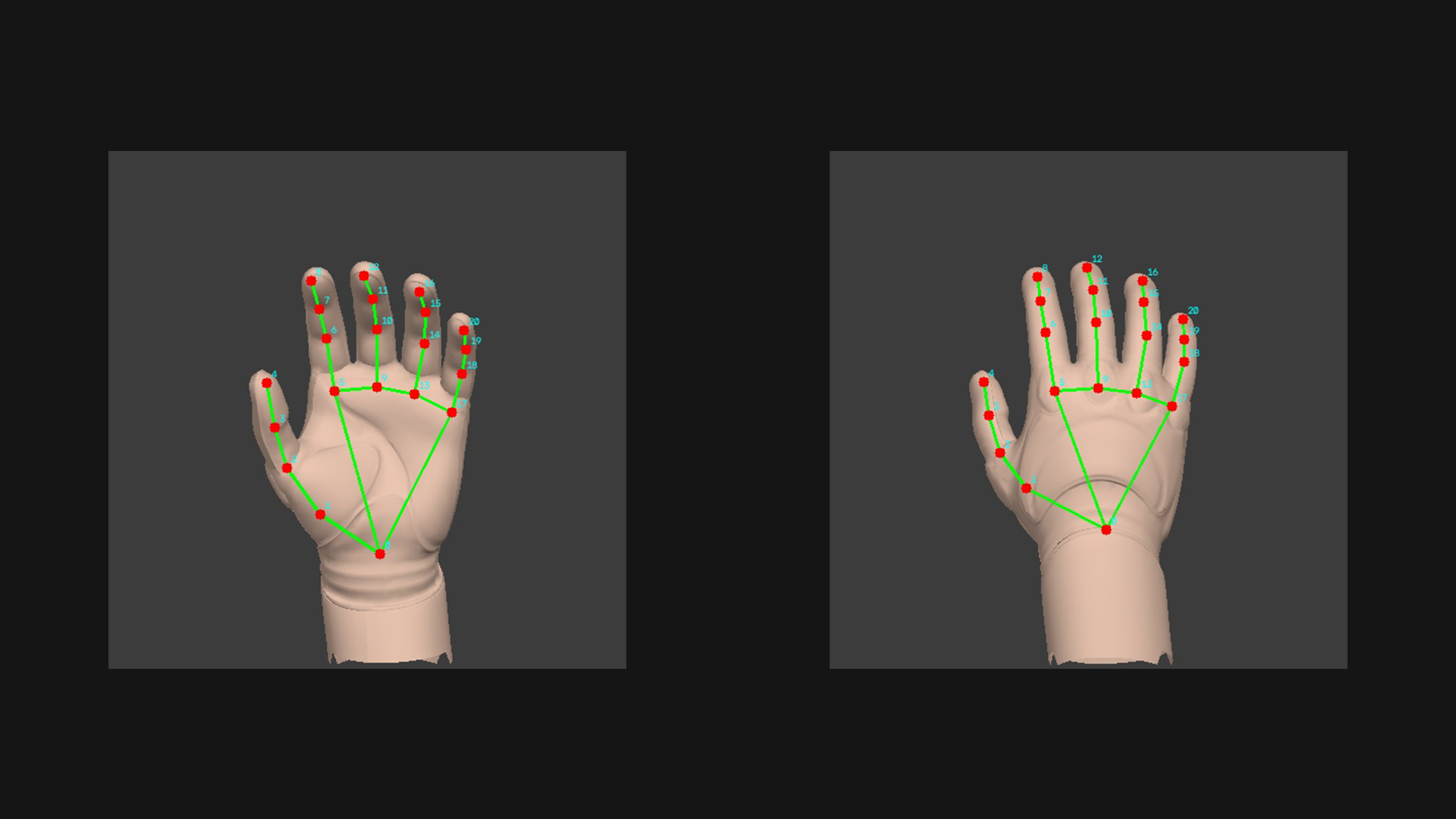
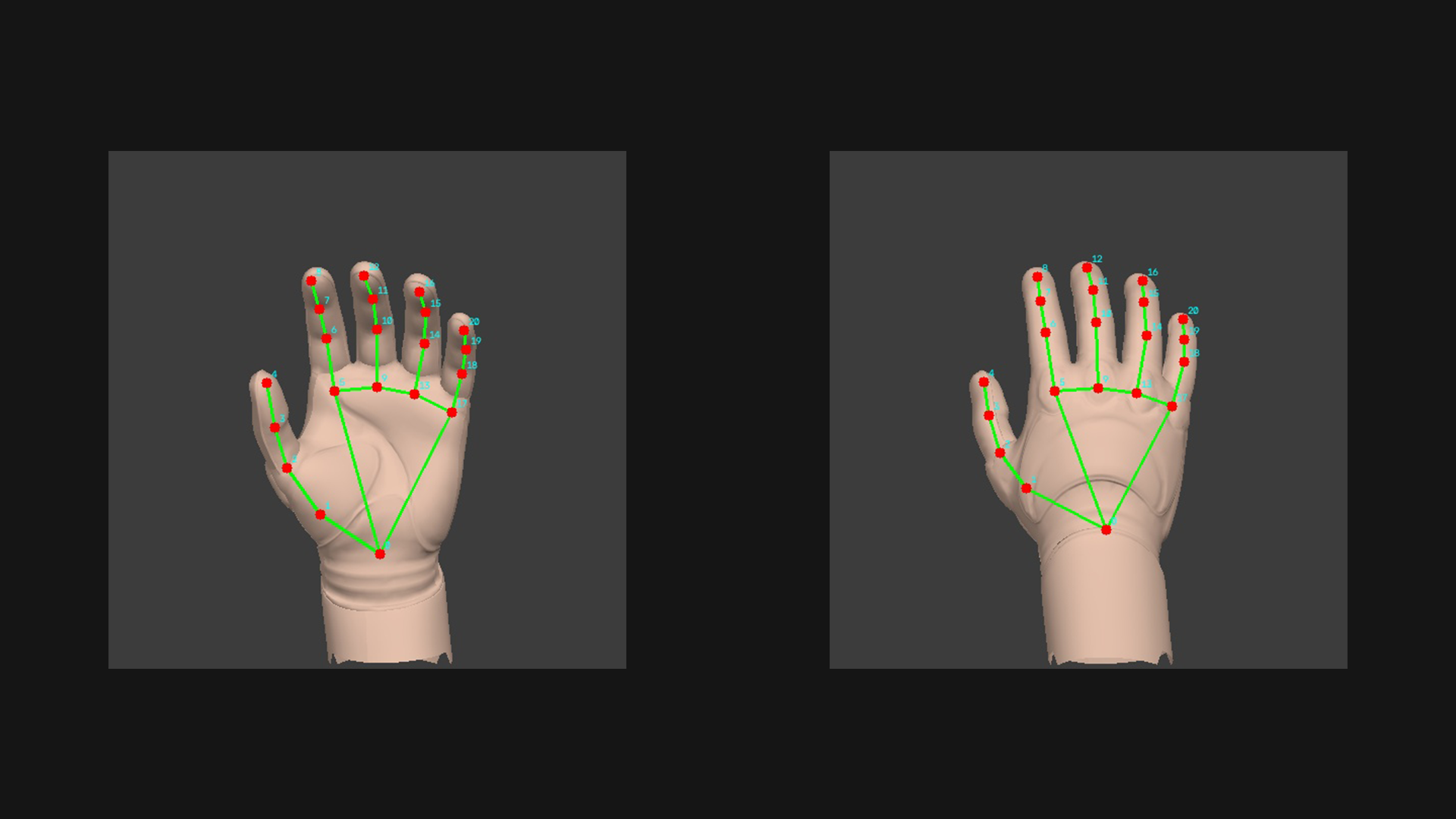
This is what MediaPipe sees on the render. The red dots are the 21 landmarks, the green lines are the hand skeleton it fits, and the cyan numbers are the landmark order:
There were a lot of small problems: lining the camera up with the palm, straightening curled fingers back toward a neutral pose, matching MediaPipe's landmark order to Manny's bone order, and left vs right hand. But once the plumbing was right it worked. The fingers land on the fingers.
Result
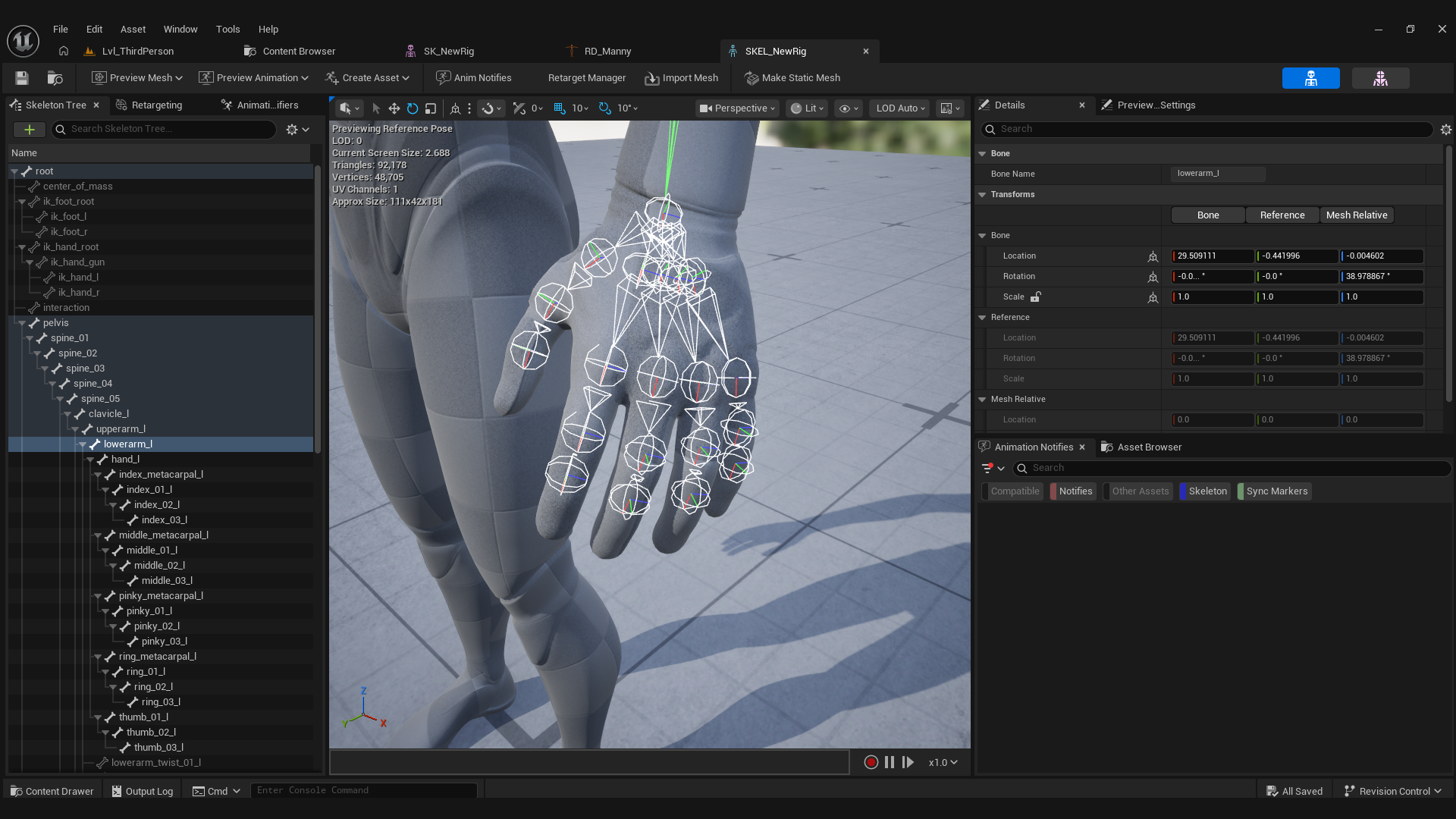
30 finger bones placed from a static mesh, automatically, with a real hand detector instead of a geometry guess. This was the part I was most sure would not work, and it ended up being the part I like the most.