Setting it up
The Footstep Database
The asset that maps state and surface to sound.
The database is where every sound decision lives. Change it and every character using it changes, without touching a single animation or Blueprint.
Structure
Footstep Database
├── State Effects
│   └── "Movement.Run"
│       ├── Surface Effects
│       │   ├── Grass  -> Effect Set
│       │   └── Stone  -> Effect Set
│       └── Fallback Effects        (surface not listed above)
├── Global Fallback                 (state not listed above)
└── Match Parent State Tags
How a lookup works
For a footstep with a state and a surface, in order:
- The exact state, then the exact surface.
- The exact state, then its Fallback Effects.
- The parent state tag, back to step 1, if Match Parent State Tags is on.
- Global Fallback: its entry for the surface, then its own fallback.
- The next database in the component's list.
Because step 2 comes before step 3, a state's own Fallback Effects win over its parent's entry for the exact surface. Leave a child state's fallback empty to let the parent's surfaces through.
An entry that exists but is completely empty counts as no match and falls through to the next step. So a half filled row never silently produces silence, it just moves on. A Sounds or Actions slot you added but never filled in does not count either, and is never picked.
The effect set
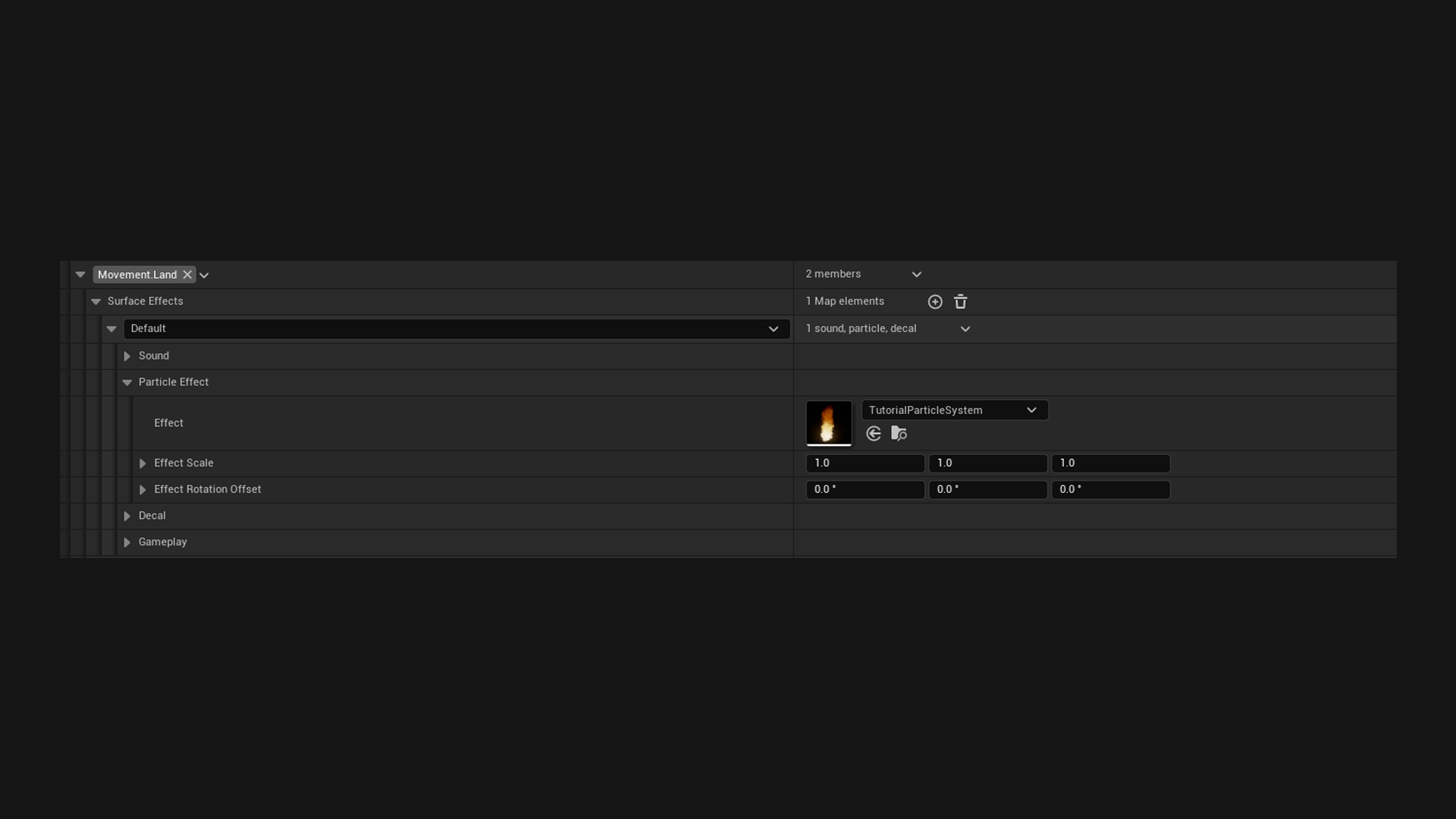
Each row is an effect set. In the details panel it is grouped into four sections, and the collapsed header tells you what is in it, like 3 sounds, particle, 1 action, or empty. Sound starts expanded and the rest stay collapsed until you need them.
Sound
| Field | What it does |
|---|---|
| Sounds | One is picked at random per footstep. Put four or five in to stop repetition. |
| Volume Multiplier | 1 means the volume in the Sound asset itself. |
| Pitch Range | Random pitch per footstep. 0.95 to 1.05 is usually enough. |
| Attenuation Override | Optional. The demo ships ATT_Footstep in Demo/Audio. |
| Concurrency Override | Optional. The demo ships SC_Footstep in Demo/Audio. |
Particle Effect
| Field | What it does |
|---|---|
| Effect | Takes both Niagara Systems and Cascade Particle Systems. |
| Effect Scale | Scale of the spawned particle. |
| Effect Rotation Offset | Added on top of the surface normal. |
Decal
| Field | What it does |
|---|---|
| Decal Material | A footprint in sand, a wet print on stone. |
| Decal Size | Box size in world units. |
| Decal Life Span | Seconds. 0 means it never fades. |
Gameplay
| Field | What it does |
|---|---|
| Actions | Blueprint logic to run for this surface. See Footstep Actions. |
| Effect Tags | Free form tags passed to your logic. The plugin never reads them. |
Effect Tags are worth using
Say you end up with fifteen surfaces but only three behaviours. Tag Footstep.Wet on water, mud and puddles, then check that one tag instead of comparing fifteen surfaces.
When someone adds a swamp surface later, they tick the tag and your existing logic already covers it.
Layering databases
The component takes a list of databases and searches them in order. Put a character specific one first and a shared one last, and the specific one only has to describe what actually differs.
You can also set project wide defaults in Project Settings > Plugins > Footstep System, which every component with Use Project Default Databases picks up.
Checking a database
Right click the database, then Asset Actions > Validate Assets. It reports:
- A state that is not a registered Gameplay Tag. That happens when a tag is renamed or deleted, and the entry can never match again.
- A Sounds or Actions slot that was added but left empty.
- A state with no surface entries and no fallback, which produces nothing.