Setting it up
Surfaces
Making grass sound different from stone.
A surface is a Physical Surface, the same list the rest of the engine uses.
1. Name your surfaces
Project Settings > Engine > Physics > Physical Surface. Fill in the slots:
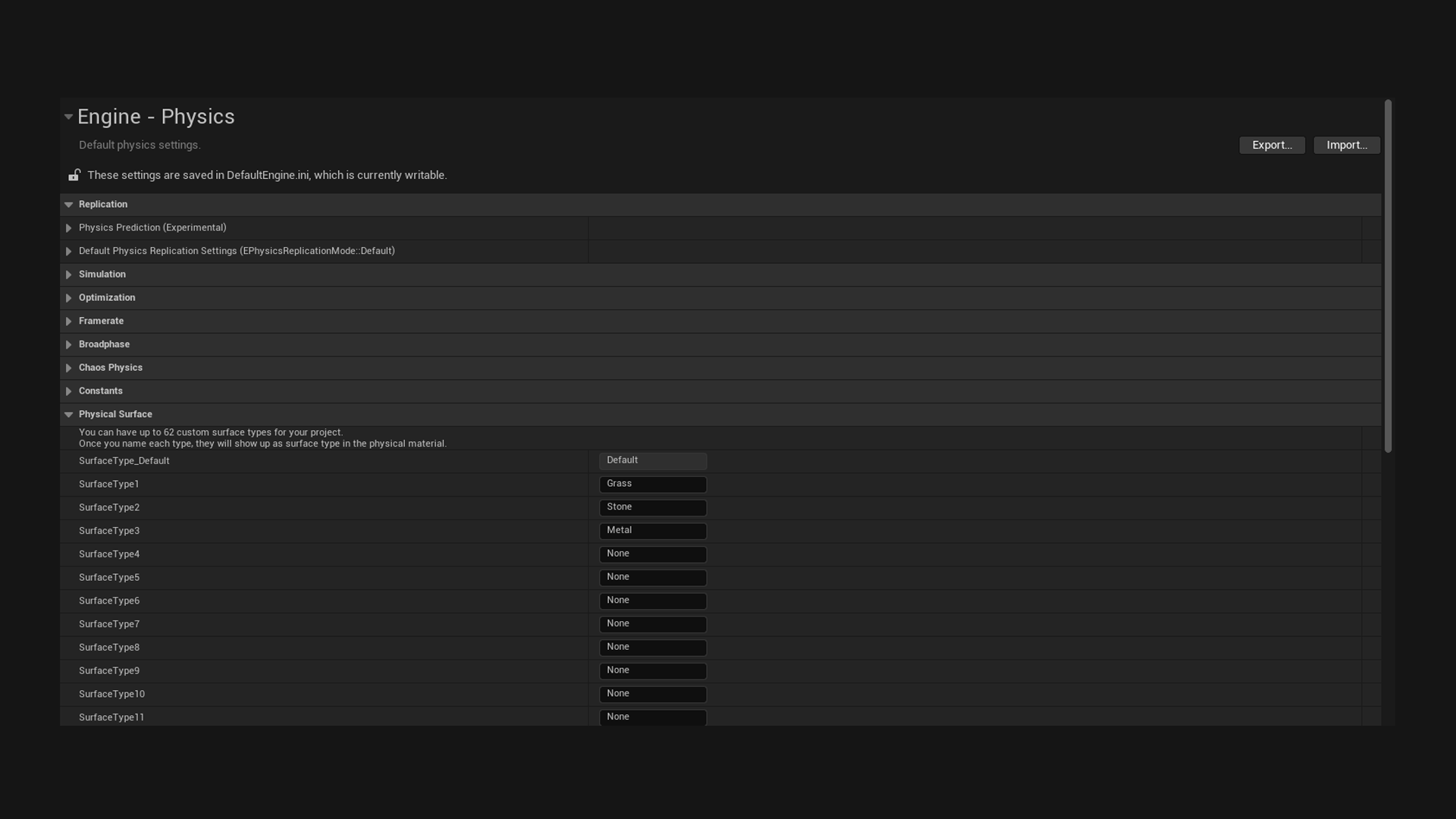
SurfaceType1 = Grass
SurfaceType2 = Stone
SurfaceType3 = Metal
2. Make physical materials
Right click in the Content Browser, then Physics > Physical Material. Make one per surface, and set its Surface Type to the matching entry.
3. Assign them
Open a material used on your floors and set its Phys Material to the right one. For landscapes, set it per paint layer.
4. Fill in the database
Now the Surface Effects map inside a state entry has something to point at. Press +, pick Grass, and give it sounds.
How the plugin finds the surface
By default it traces down from the foot bone and reads the physical material of whatever it hits. The trace runs along the character's gravity, so custom gravity works, and it skips the character and anything attached to it, such as a held weapon.
You can change that on the component with Surface Source:
| Option | What it does |
|---|---|
| Line Trace From Foot | Traces down from the foot. The most accurate, and the only one that can report a different surface per foot. |
| Character Movement Floor | Uses the floor the movement component is standing on, as one surface for the whole character. Suits feet that hover or reach past a ledge the character still stands on. The floor itself carries no physical material, so a very short trace reads it, which costs about the same as a foot trace. Needs a Character, and traces from the foot while there is no floor. |
| Custom | Detects nothing. You override Resolve Footstep Surface and answer yourself. Returning false still makes a footstep, with Hit Surface false. |
When the surface reads as Default
That means the trace hit something with no physical material on it. The footstep still plays, using Fallback Effects.
This is normal and useful. Fill in fallbacks so untagged geometry still makes a sound, and only add specific surfaces where it matters.