Reference
Compatibility rules
What works with which GI and hardware.
Some methods do not make sense with some setups. MultiAO checks your GI method and hardware and tells you in the log.
Severities
- Info: worth knowing, nothing changes.
- Warning: it runs, but probably not the way you expect.
- Block: it does not run, and the plugin changes no engine settings.
The rules you will meet
| Setup | Methods | Severity | Why |
|---|---|---|---|
| Screen Space GI | all | Warning | The engine's diffuse light ignores material AO, see Diffuse Strength |
| Lumen | screen space AO methods | Warning | Lumen already handles occlusion, it may darken twice |
| Lumen | SSILVB, SSDO | Warning | The colour bounce is off, only the AO runs |
| Screen Space GI | SSILVB, SSDO | Warning | The colour bounce would count the bounce twice |
| Screen Space GI or Lumen | RTAO | Block | The engine never runs RTAO with them |
| No hardware ray tracing | RTAO, Path tracer | Block | They need it |
| Not Lumen | Lumen AO | Block | It only runs with Lumen |
| Lumen | DFAO | Block | Not used with Lumen |
| No mesh distance fields | DFAO | Block | It needs Generate Mesh Distance Fields |
Editing the rules
The rules live in DA_MultiAOCompatibility. Open it, add or change rows, save.
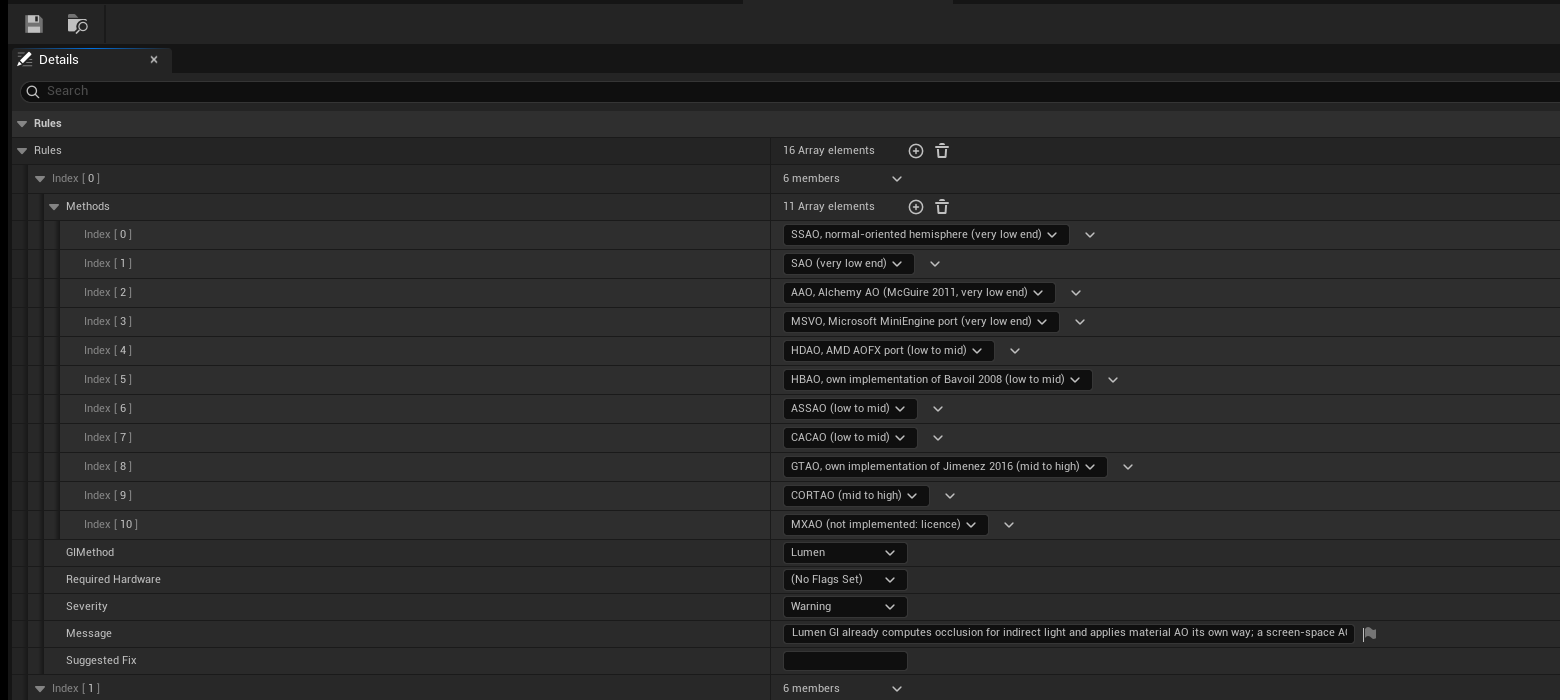
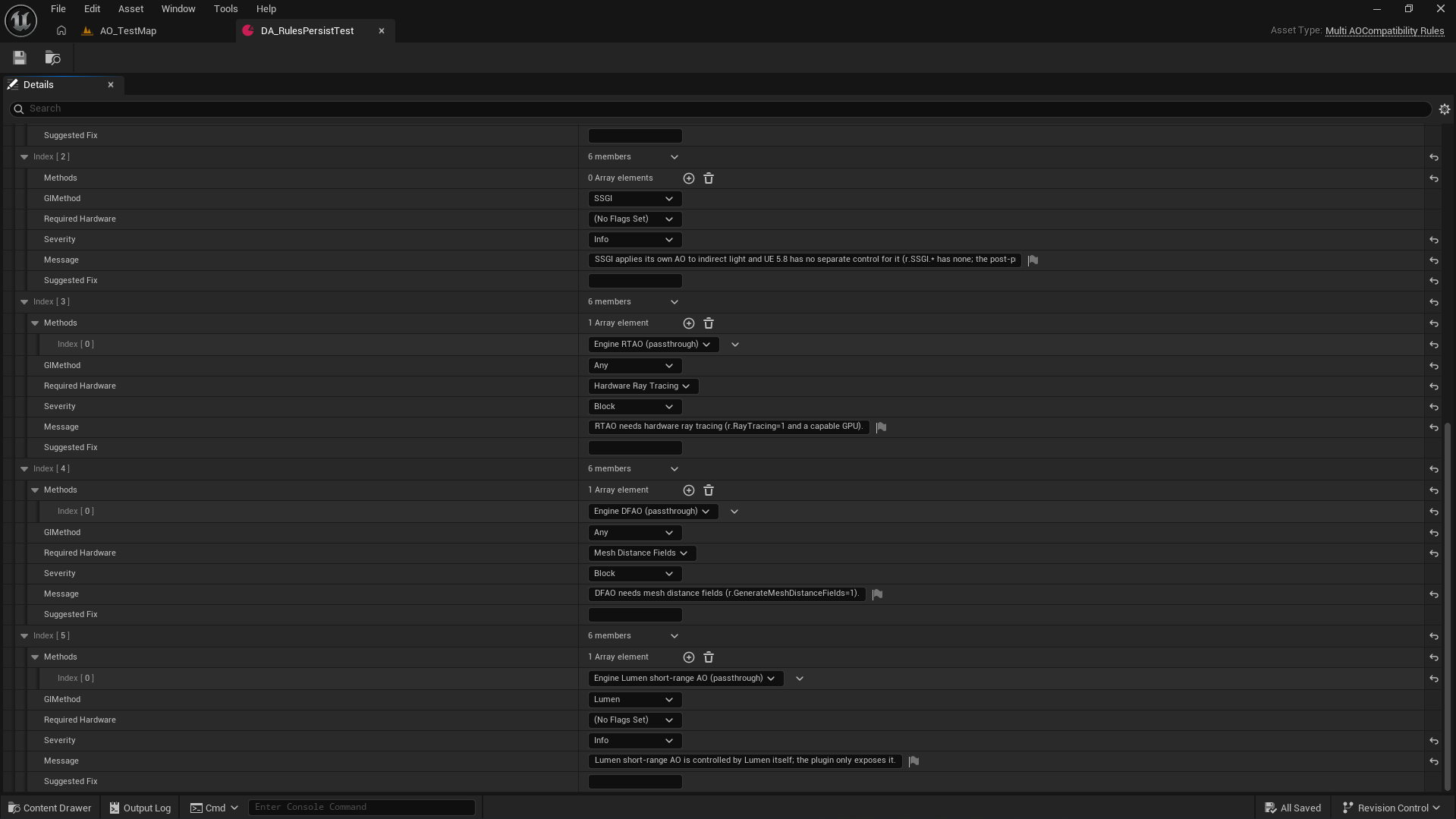
A row has the methods, the GI method, required hardware, a severity, a message and an optional fix command.
MeshBlend
MeshBlend keeps its blend IDs in the material AO channel, the same place MultiAO writes its AO. Without help, MultiAO would scramble those IDs and MeshBlend would blend the wrong meshes.
When r.MeshBlend.Enable is 1, MultiAO handles this on its own:
- Lighting gets MultiAO's AO in place of the IDs.
- Before post processing, the original IDs are put back, so MeshBlend reads them untouched.
The log says MeshBlend mode when this is on. r.MultiAO.RestoreMaterialAO forces it: -1 is auto, 0 is off, 1 is on.
INFO: In MeshBlend mode, Buffer Visualization > Material Ambient Occlusion shows MeshBlend's IDs, not the AO. Use
r.MultiAO.Debug 3 to see the AO.WARNING: MeshBlend's Shader Patcher makes the engine ignore material AO. If you run it, MultiAO only shows through Diffuse Strength. The log warns you when the patch is applied.