Setting it up
Occluder component
Capsule AO and AO Volume for characters and moving props.
Screen space AO only knows what is on screen. A character's feet on the ground work, but the soft shadow under a running character, or under a car, comes and goes with the camera.
The Multi AO Occluder component fixes that with simple shapes. It has no mesh of its own: attach it to whatever should cast the shadow. Select it and its shape is drawn as an orange wireframe in the viewport.
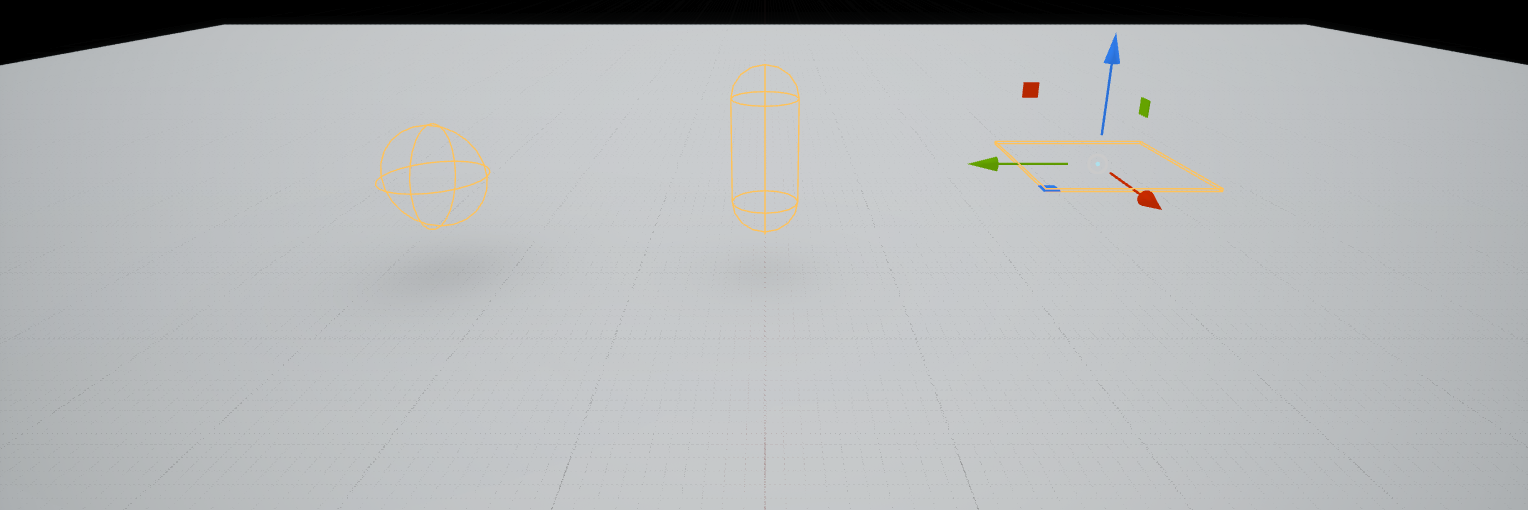
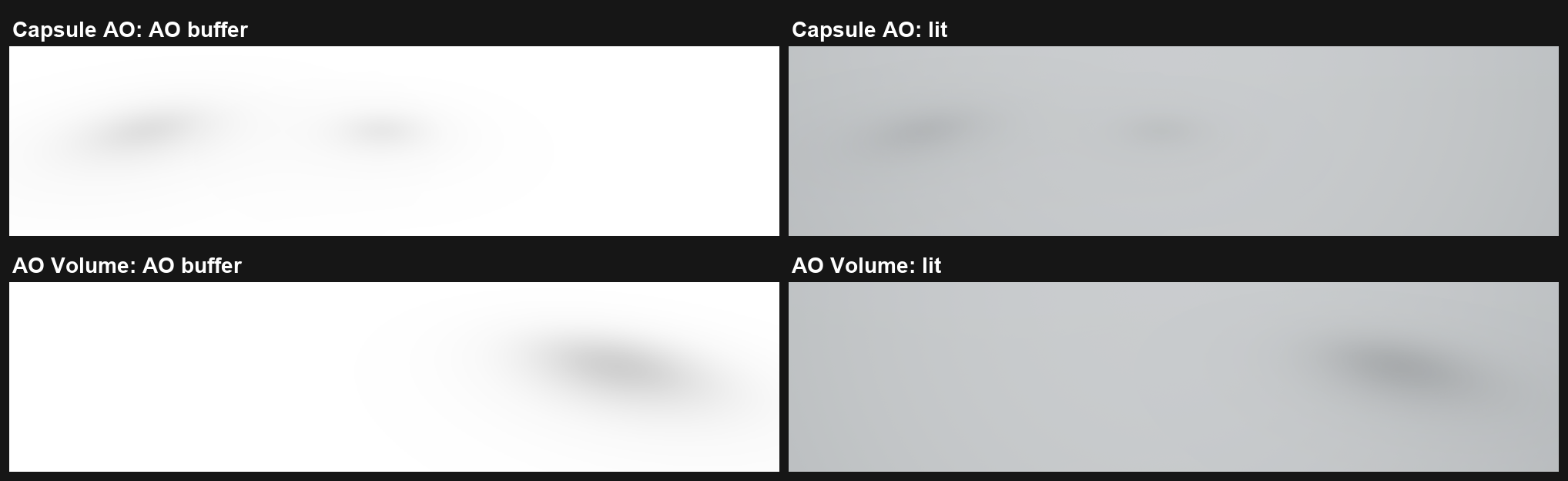
The two methods
- Capsule AO (15) uses spheres and capsules. Made for characters: a capsule per leg, one for the body.
- AO Volume (16) uses boxes. Made for props and vehicles.
Each method reads only its own shapes, so you can set up both and switch.
Add one
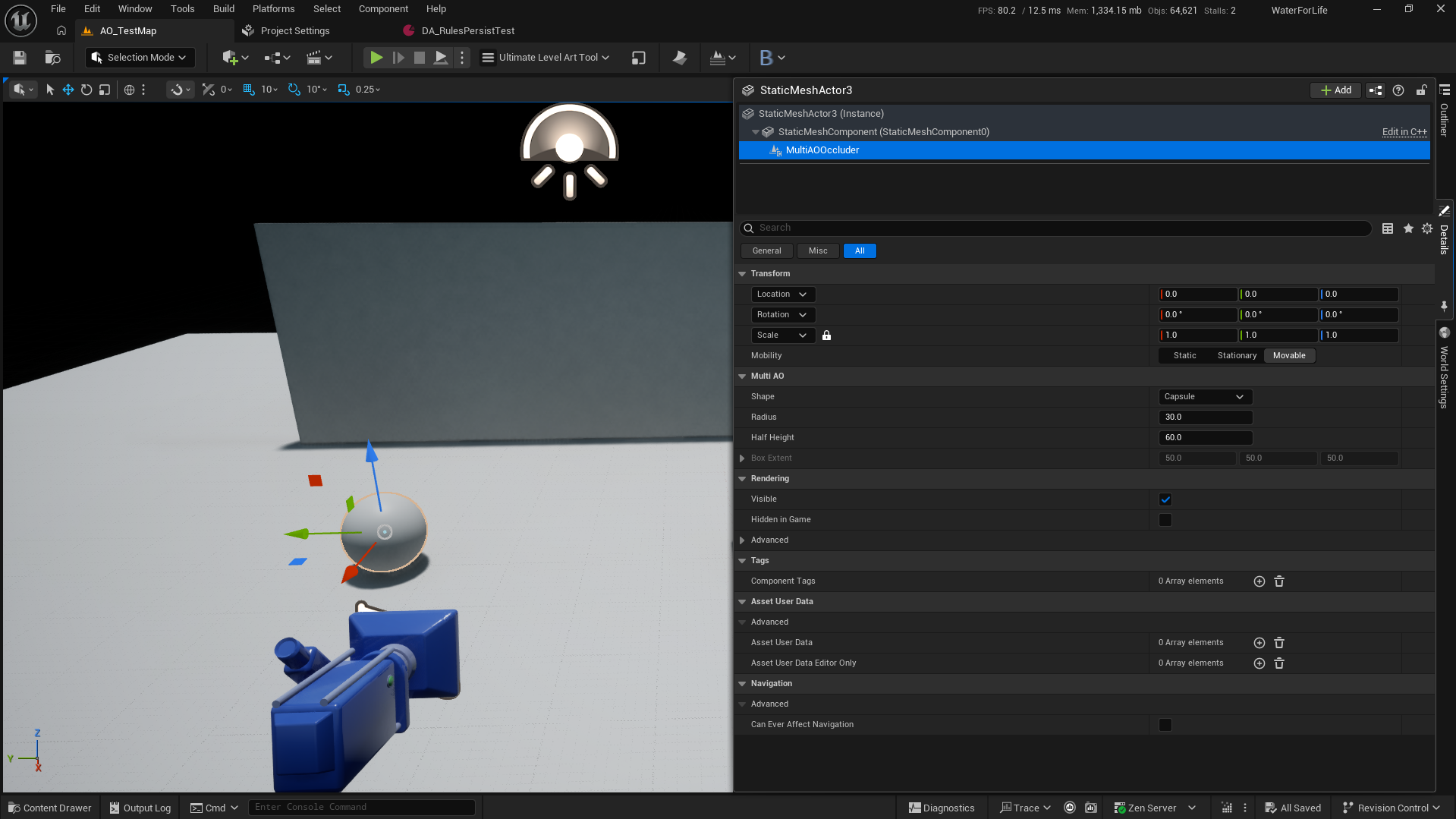
- Add a Multi AO Occluder component to your actor, or under a bone with a socket. It is under Rendering in the + Add list.
- Pick the Shape: Sphere, Capsule or Box.
- Set Radius and Half Height for spheres and capsules, Box Extent for boxes.
- Set Method to Capsule AO or AO Volume.
How accurate it is
The shapes are solved exactly, not sampled, so there is no noise. On the plugin's test map the result matches the textbook formulas to within 0.011: a sphere of 40 cm at 80 cm reads 0.745 below it, the formula says 0.750.
- A surface inside a shape gets no shadow from it, so a character is not darkened by its own capsules.
- A long capsule lying flat across the ground is a bit lighter than it should be.
- Up to 64 occluders are drawn per scene. Past that the log tells you once.
Cost
0.03 to 0.06 ms on the test map. Shapes far away are skipped.