Choosing a method
Method guide
Which one to pick, what it costs, and what it is good at.
The dropdown is grouped by tier: baked, very low end, low to mid, mid to high, AO with a bounce, analytic shapes, then the engine's own features. Inside a tier the measured cost does not always follow the order, so the table below is sorted by measured full resolution cost.
Measured cost
Measured on an AMD Radeon RX 6700, DirectX 12, on the plugin's test map at 832x468 (1280x720 at 65% screen percentage), single frames. Full is quality High, half is half resolution at quality Low (ASSAO and CACAO at Medium, see below). Your numbers will be different, so measure in your own level with the Compare view.
| Method | Index | Full (ms) | Half (ms) | What it is |
|---|---|---|---|---|
| PBAO | 1 | 0 | 0 | Baked into vertex colours, no runtime pass |
| MSVO | 5 | 0.08 | 0.07 | Microsoft MiniEngine's multi scale AO |
| CACAO | 9 | 0.17 | 0.09 | AMD FidelityFX CACAO |
| SSAO | 2 | 0.20 | 0.13 | Classic normal oriented hemisphere |
| SSDO | 13 | 0.21 | 0.10 | Hemisphere AO with an optional colour bounce |
| AAO | 4 | 0.22 | 0.11 | Alchemy AO |
| SAO | 3 | 0.24 | 0.11 | Scalable AO |
| ASSAO | 8 | 0.26 | 0.19 | Intel's adaptive SSAO |
| HBAO | 7 | 0.28 | 0.15 | Horizon based AO |
| SSILVB | 14 | 0.29 | 0.11 | Visibility bitmask, optional colour bounce |
| GTAO | 10 | 0.30 | 0.16 | Ground truth based AO |
| CORTAO | 11 | 0.31 | 0.07 | CORTAO |
| HDAO | 6 | 0.44 | 0.14 | AMD AOFX |
| Capsule AO | 15 | 0.03 to 0.06 | Spheres and capsules from occluder components | |
| AO Volume | 16 | 0.03 to 0.06 | Boxes from occluder components | |
| DFAO, RTAO, Lumen AO, Path tracer | 17 to 20 | engine | The engine's own features. RTAO, Lumen AO and the path tracer are not verified yet |
What each one computes
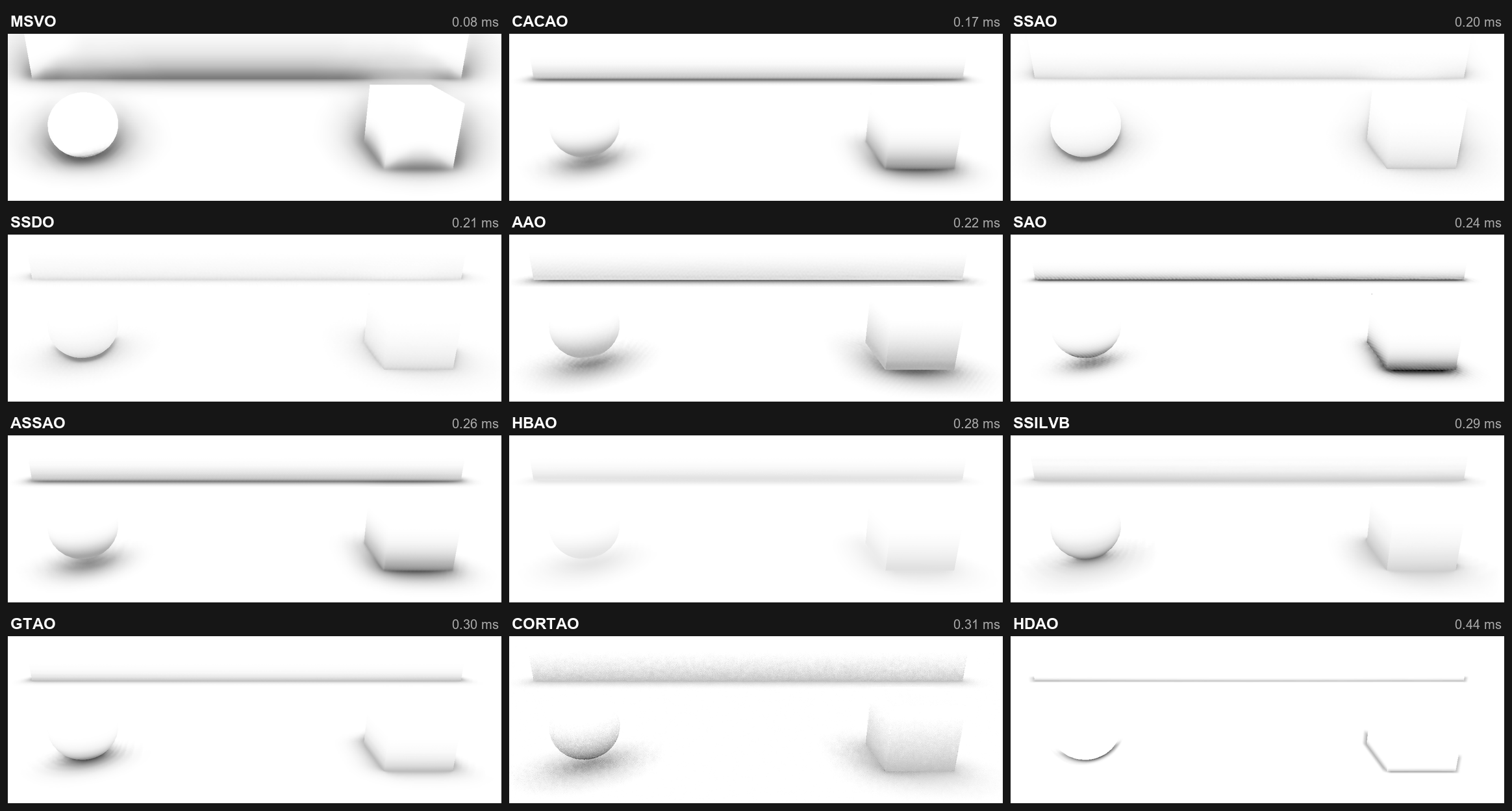
The same scene with every screen space method, cheapest first. This is the AO each method writes, before lighting: white is open, dark is occluded.
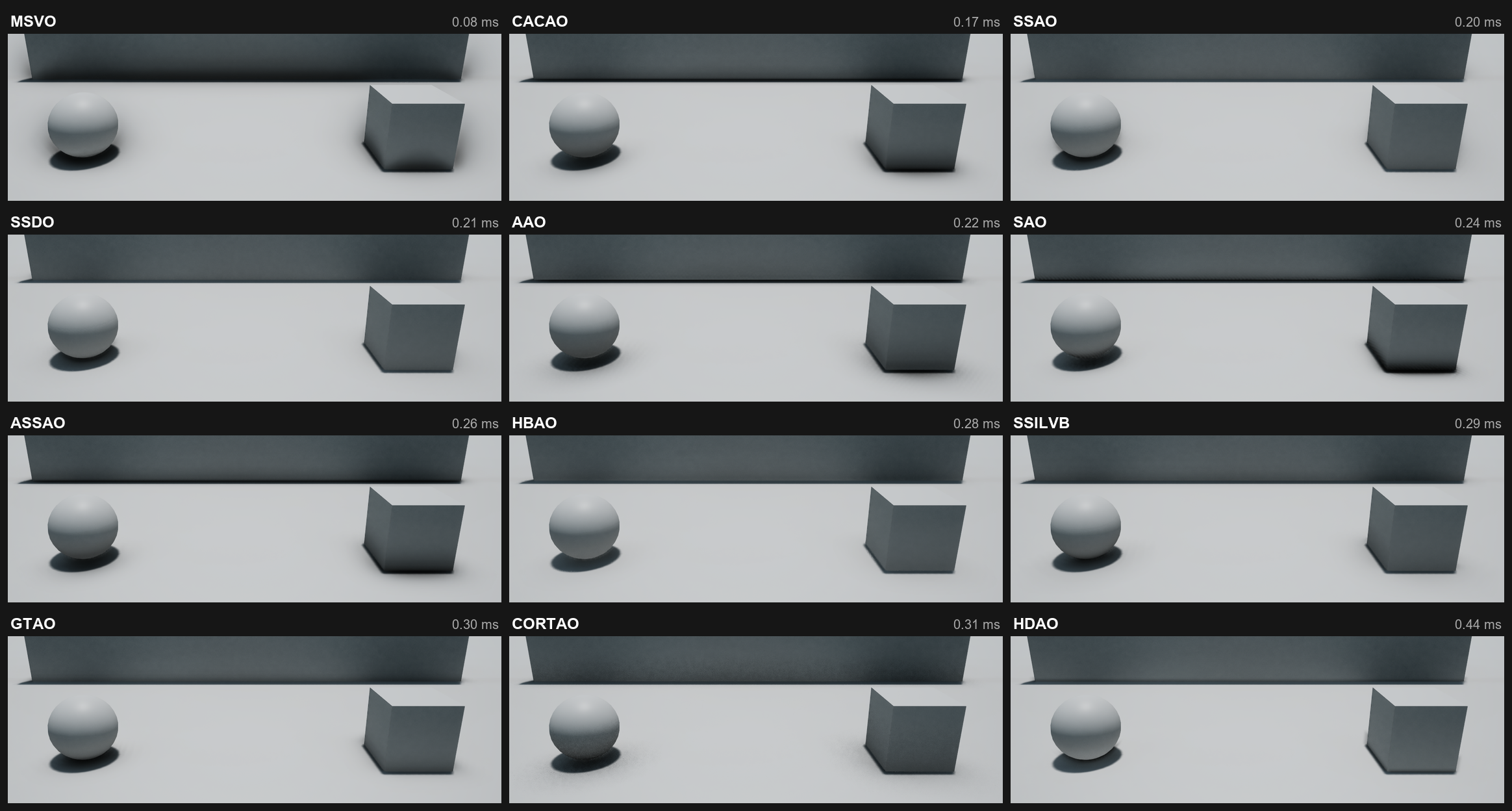
And the same, lit, with Diffuse Strength at 1 so the difference shows under screen space GI:
A few things to look for:
- MSVO reaches far and darkens whole faces. Cheap, but heavy handed.
- SAO and ASSAO give the darkest, tightest contact lines.
- HDAO only marks the creases themselves.
- CORTAO is grainy in a still frame and cleans up with Temporal and TSR.
Which one to start with
- Tight budget: MSVO or CACAO.
- Best all round: GTAO or CORTAO. Accurate contact shadows, open surfaces stay clean.
- Thin things like railings, poles and foliage: try SSILVB. It treats every surface as a slab of limited thickness (SSILVB Thickness) instead of solid all the way back, which should keep thin occluders from casting thick halos. Compare it against GTAO in your own level.
- Characters and moving props: add Capsule AO or AO Volume. They darken the ground under objects even where the screen cannot see it, for almost nothing.
- Static meshes at zero cost: bake PBAO.
- A reference: the path tracer shows what it should look like. It needs hardware ray tracing, and this switch is not verified yet.
Notes per method
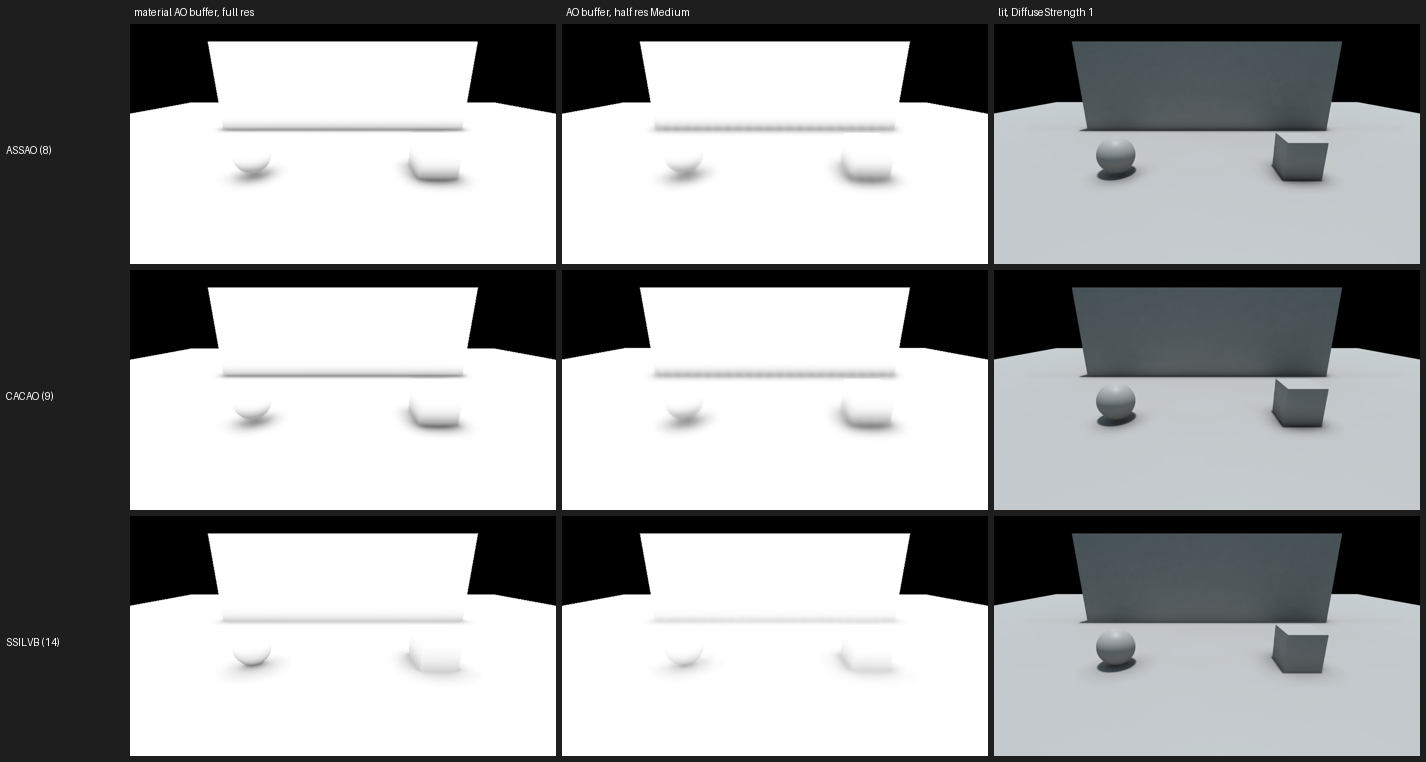
- ASSAO and CACAO: their Low quality skips edge detection on purpose, so at half resolution use Medium or higher. At low internal resolution both show a faint wave along long contact lines. Full resolution avoids it.
- MSVO works in screen pixels, not world units, so its reach does not follow Radius.
- SSDO and SSILVB: the colour bounce is off by default, see Indirect light.
- SSDO here is the occlusion half of the original paper plus the bounce. Lighting each open direction with the environment is the engine's job, and a plugin cannot replace it.
- Engine switches only work when the engine allows them, for example RTAO needs hardware ray tracing and no screen space or Lumen GI. MultiAO says in the log when one is blocked.
Where to go next
- Compare view to see two side by side with their costs.
- Settings for quality, radius and intensity.